Metaobject Lists · a Shopify app for theme developers
A query builder for Shopify metaobjects.
Select and order metaobject entries by condition, check the live preview, and read the result in Liquid. If you have used Views in Drupal or the Query Loop block in WordPress, you already know what this is: the missing query layer for Shopify's content types. Or think of it as SELECT, WHERE and ORDER BY for metaobjects, built in a form and written to a metafield.
The gap it fills
Metaobjects give Shopify real content types: authors, recipes, stockists, FAQs, whatever your store needs. What they do not give you is a way to select entries. Liquid has no filter on field values, no sort beyond a handle, a fifty-entry ceiling on a loop, and no way to show the entries that reference a product. There is no WHERE clause in Liquid. Every theme developer who has used metaobjects has written the same workaround Liquid, and it is different every time.
Metaobject Lists does the selecting. You describe the list; the app evaluates it against a copy of your metaobjects, writes the result to a metafield, and keeps it fresh when entries change. Your theme renders it, in its own markup, with the snippet the app writes for you or by binding a block in the theme editor.
How it works
Step 1
Define
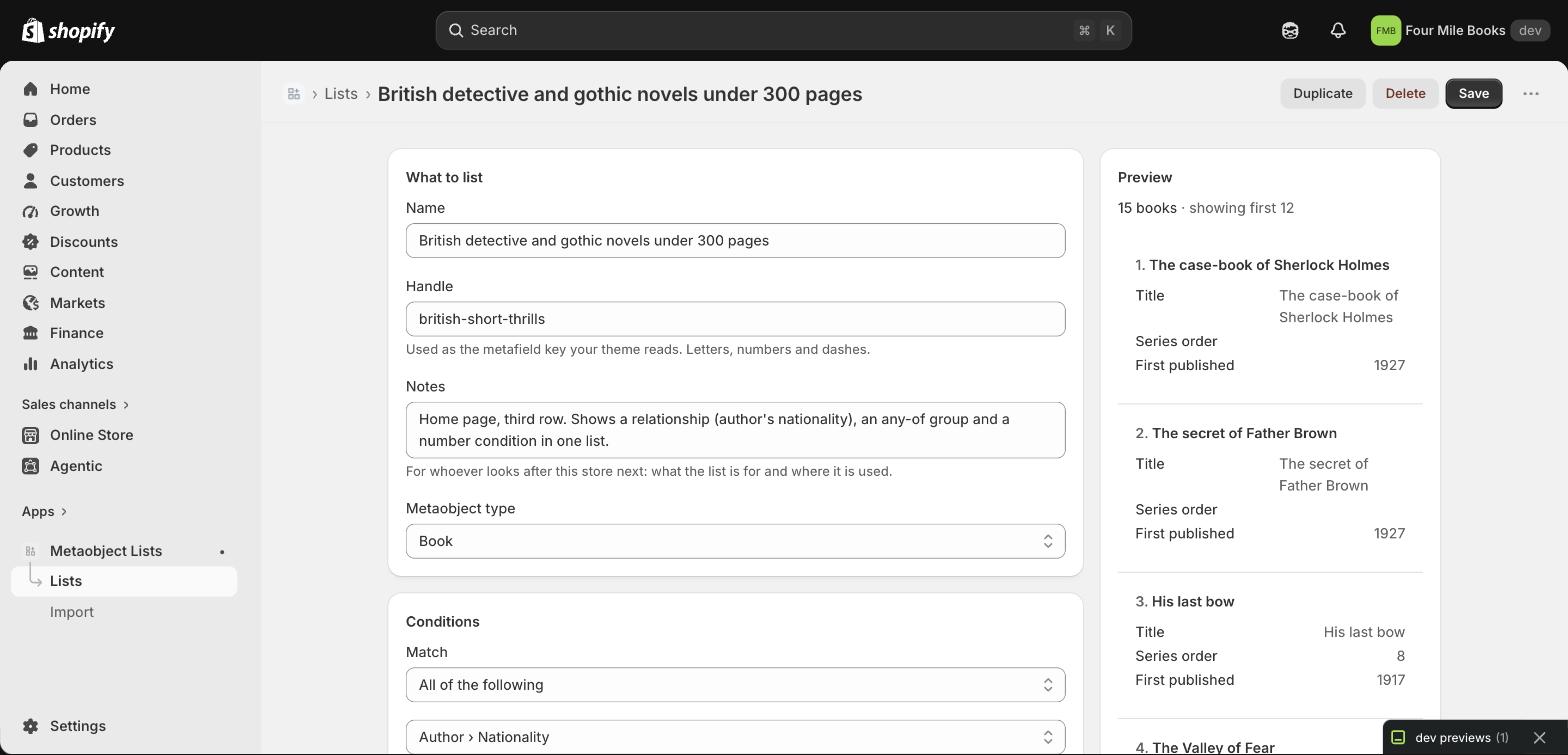
Pick a type, add conditions on any field, on referenced entries, or in groups. Sort, limit, offset. Watch the preview.
Step 2
Save
The result is written to a list metafield: on the shop, or on every product or collection the entries reference, or as a map for related entries.
Step 3
Render
Loop over the metafield in Liquid with the snippet the editor writes, or connect a theme block to it as a dynamic source. No storefront JavaScript, no imposed markup.
What you get

Conditions that read like sentences
Is, contains, more than, in the last 30 days, in the future, is empty. Grouped with all or any. Operators follow the field’s type.
Relationships
Conditions on the entry a reference points at: books whose author’s nationality is French. One level deep, for single and list references.

Per product, per collection, per entry
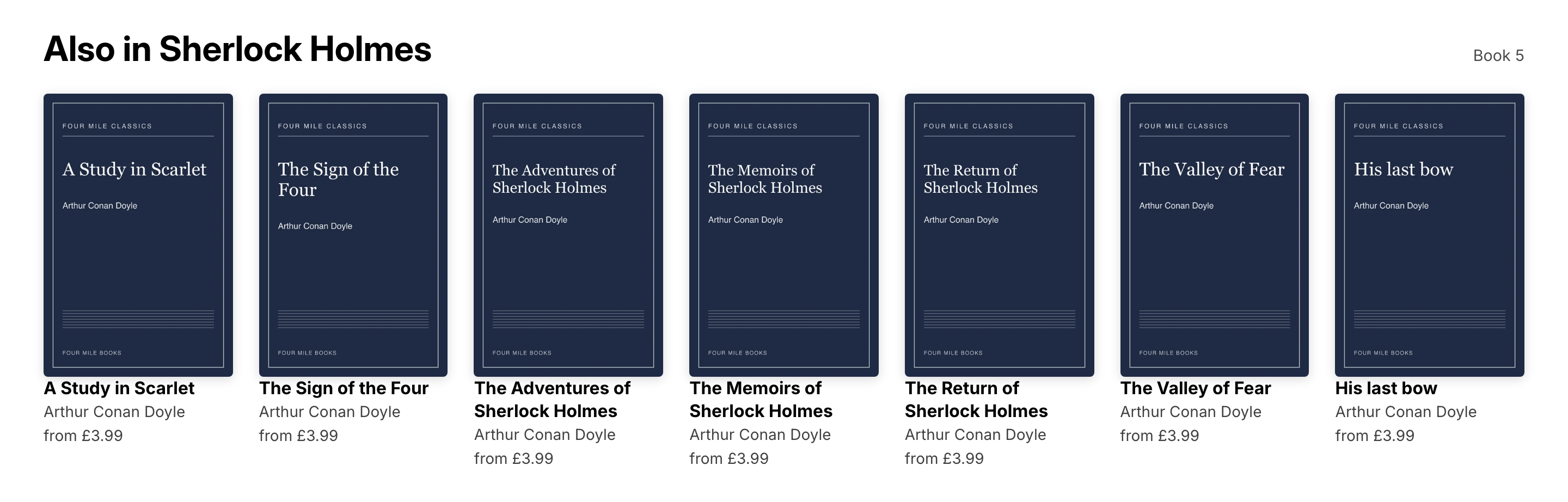
The reading lists that include this book, on its product page. The rest of the series on a book’s page. Every book by an author on the author’s page. Bound in the theme editor or read in Liquid.

Always fresh
Entry changes reach the list within seconds through webhooks; a nightly sweep is the safety net. Rebuild the copy from Shopify any time.
Export and import
Move list definitions from a development store to the live one as JSON. Notes on each list for whoever inherits the store.
Nothing to break
No theme edits, no storefront code, narrow scopes. Uninstalling leaves your metaobjects, metafields and bindings exactly as they are.

Pricing
Free
$0 / month
- ✓3 lists
- ✓Every feature: per-product, per-collection and per-entry lists, relationships, groups
- ✓Live preview and Liquid snippet
- ✓Refresh on change
Pro
$29 / month
- ✓Unlimited lists
- ✓Export and import between stores
- ✓Nightly sweep
- ✓Or $290 a year, two months free
Development stores
Free while you build
- Everything in Pro on any development store
- No time limit
- Pro starts when the store goes live
Billed through Shopify. No entry limits on either plan.
Questions developers ask
- Does it change my theme?
- No. It writes a metafield and gives you a Liquid snippet to paste. Your theme files are never edited and no markup is added to your storefront.
- How long can a list be?
- Liquid shows the first 50 entries of a list, whatever the theme does; the metafield itself holds up to 250 for the Storefront API. For a longer page, make further lists with an offset in the app, one per 50. See the Liquid reference. Read it here.
- What happens if I uninstall?
- Your metaobjects, the metafields the app wrote, and any blocks bound to them stay exactly as they are. Lists stop updating.
- Is there a drag-and-drop block?
- No, by design. Rendering belongs to the theme, so there is nothing to restyle and nothing to break.
- Can shoppers filter a list themselves?
- No. Lists are selected on the server ahead of time; the storefront stays static and fast.